Colored Lists
FreeYour WhatsApp Lists appear in a side rail, each with its own color, with a flyout that shows the full names. The extension colors up to 5 Lists. Pro has no cap.
WACompanion
I got tired of scrolling for things I already had: account details, prices, the copy we agreed on, the reply I owed three days ago. WACompanion is what I built to stop doing that. It runs on your own computer, with no account and no upload.
Free Chrome extension Pro Windows desktop app
See who needs you at a glance, in colors you recognize.
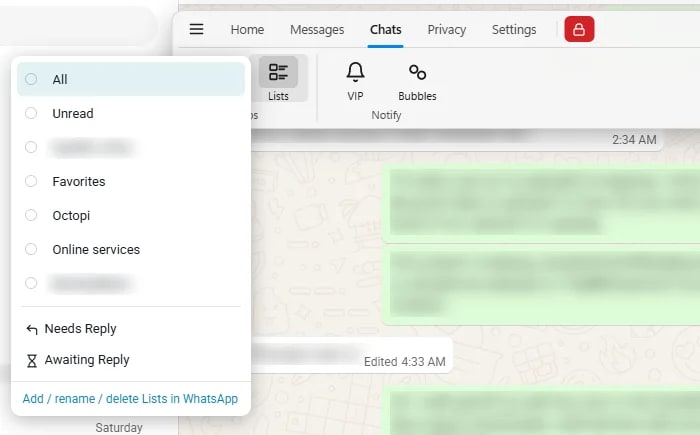
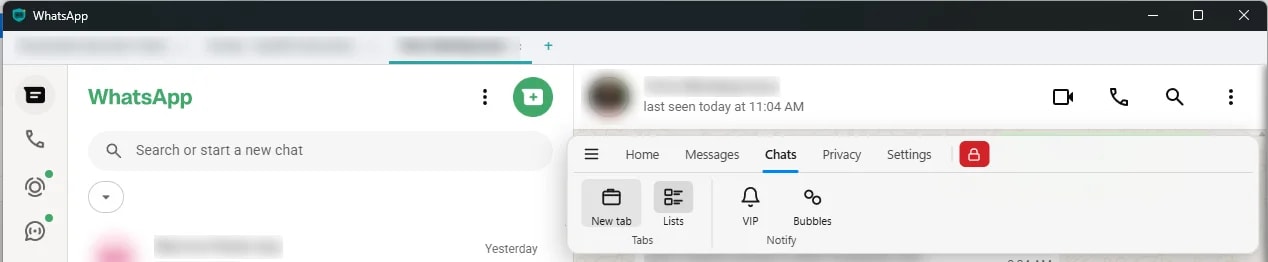
Your WhatsApp Lists appear in a side rail, each with its own color, with a flyout that shows the full names. The extension colors up to 5 Lists. Pro has no cap.
Two smart filters WhatsApp does not have: chats waiting on you, and chats waiting on them.
Pin your most-used chats as tabs along the top and jump between them in one click. Unread badges show, and drafts are kept per chat.
Mark the details you will need later the moment they arrive.
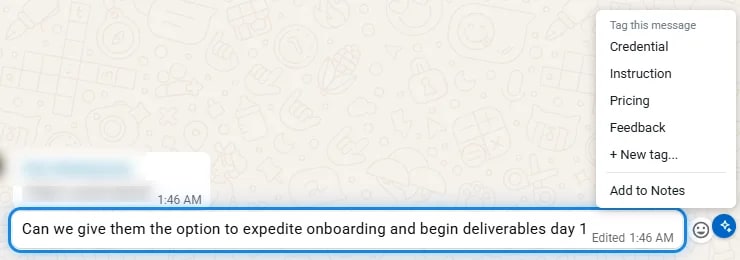
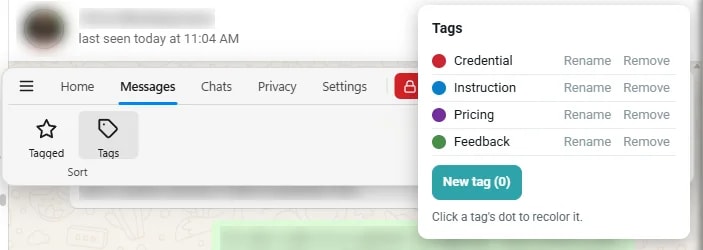

Tag any message as Credential, Instruction, Pricing or Feedback, or make your own tags with custom names and colors. The extension allows 10 custom tags. Pro has no cap.
Every tagged message for the chat you are in, in one place.
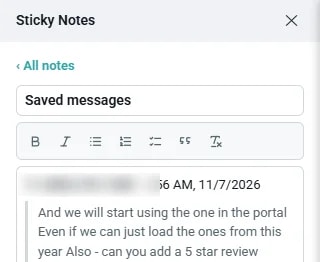
Several notes per chat, each with a title, a saved date and a short preview. Bold, italic, bullets, numbers, checklists and quotes, in the style of Google Keep.
Save a message into the chat’s “Saved messages” note.
Copy just the email, phone number or link from a message with one click. Phone numbers come out in a clean, dialable form.
Right-click any message to tag it, copy it or add it to notes.
The message you are about to act on is outlined in soft blue while the Actions button is showing.
Search what you saved, and what you only half remember.
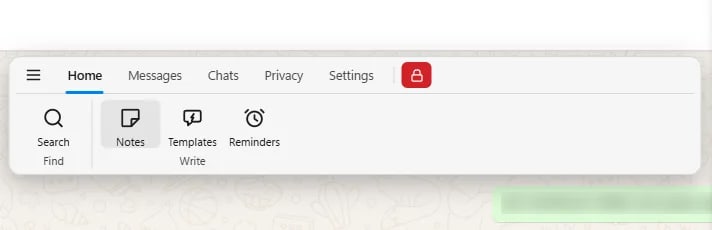
One search across your tags, your notes and every chat you have viewed.
Messages you have viewed are saved on your device so they stay searchable. Nothing leaves your computer.
Describe what you remember and it finds the message by meaning, not just keywords. It runs fully on your computer.
Stop retyping the same message, and stop forgetting to follow up.
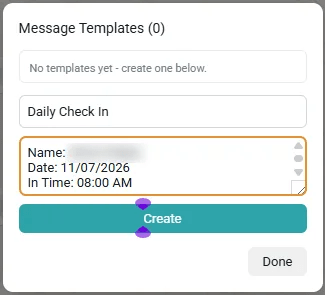
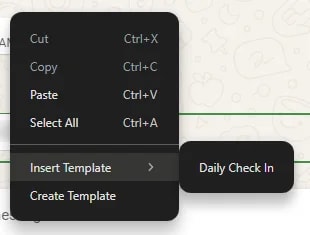

Saved replies inserted into the compose box. They are never sent automatically. The extension holds 10 templates. Pro has no cap.
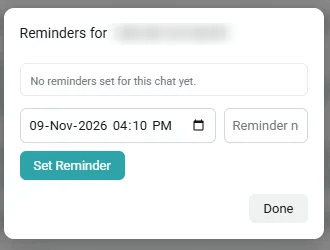
Set a due time on a chat and get a system notification. The extension allows 5 active reminders. Pro has no cap.
A button beside the mic turns your voice into English text on your own computer and only inserts it. You press Send. It is not a voice message.
Spelling suggestions, Cut, Copy, Paste, Insert Template and Create Template.
Share your screen without sharing your chats.
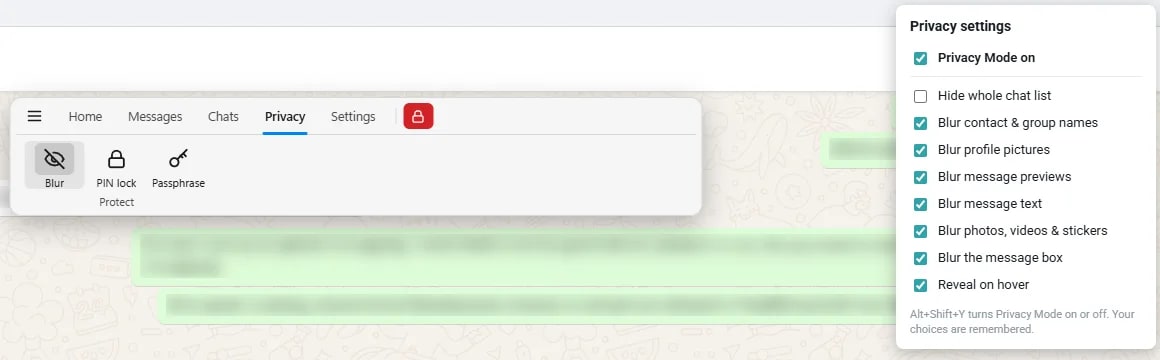
Choose what to hide: the whole chat list, names, profile pictures, previews, message text, photos and videos, or the message box. Optional reveal on hover. Toggle it with Alt+Shift+Y.
No account and no server. Nothing is uploaded.
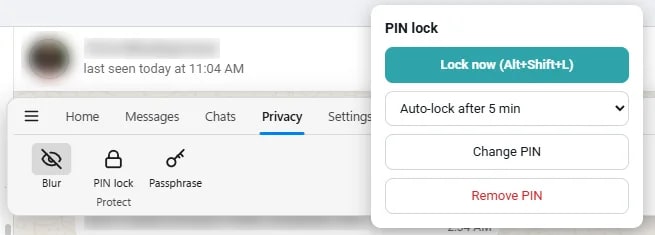
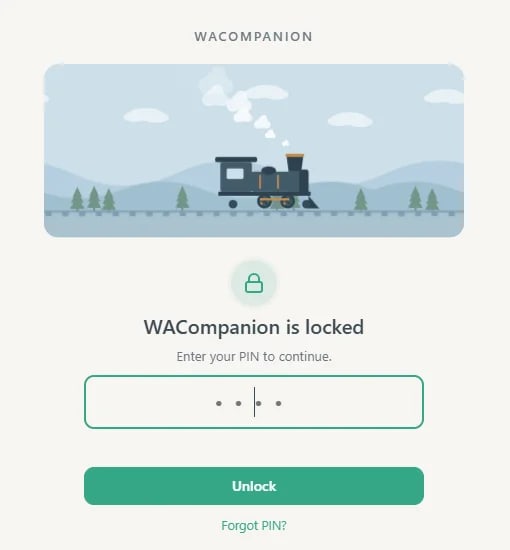
A 4 to 6 digit PIN locks the app when it opens, after you have been idle, or on demand with Alt+Shift+L. Wrong PINs get a growing delay.
Let the important people through, even when the chat is muted.
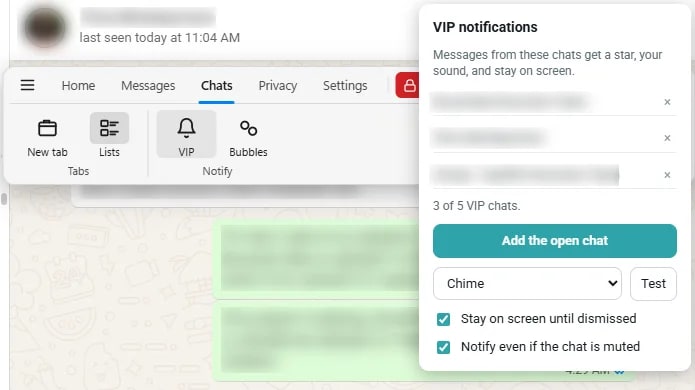
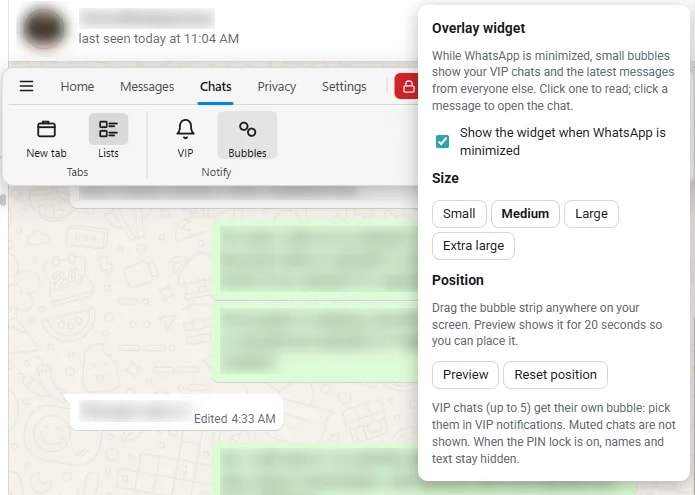
Up to 5 chosen people and groups get a star, a sound of your choice, and stay on screen until dismissed, even if the chat is muted.
While WhatsApp is minimized, small bubbles stay on your screen: one per VIP and one for everyone else. Click a bubble to read the latest messages. With the PIN lock on, you see counts but not names or text.
Close the window and reminders still fire.
Opens quietly in the tray.
Move your history between your own computers. No cloud account in the middle.
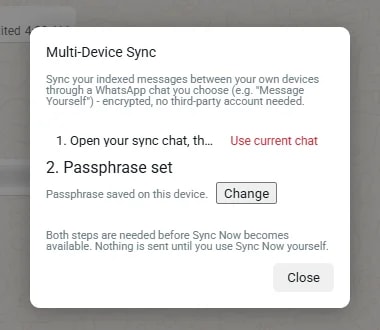
Carries your captured message history between your own devices through WhatsApp itself, encrypted with your passphrase. The app only fills the compose box. You press Send.
Export and import an encrypted file of that history from the same panel.
Full backup and restore from Settings.
Every feature in one tidy place, following your theme.
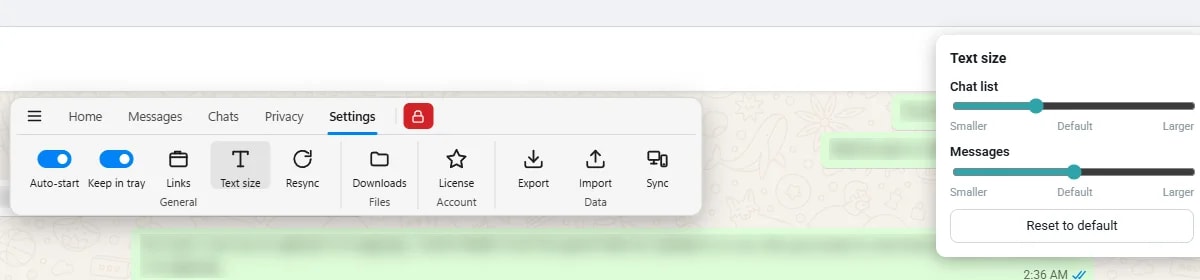
One tidy rail for every feature, with 7 color presets or your own colors, and a live preview.
Every feature sits in a see-through bar that floats over the conversation. Hover it and it turns solid and drops down labelled buttons. It never moves or resizes WhatsApp.
The look switches with WhatsApp’s own theme.
Manage tags, List colors, theme and data counts.
Separate sliders for the chat list and for messages.
The standard Windows 11 title bar with no old-style menu bar. Light or dark follows Windows.
No browser tab and no browser clutter.
Alt+Shift+Y toggles Privacy Mode from anywhere on your computer.
Fixes a stalled connection from the side rail in one click, after a confirmation.
The app reloads itself if the page crashes, instead of staying blank.
Pricing
The extension is free forever. The desktop app removes every limit and adds the Pro features.
Chrome extension
$0forever
Windows desktop app
$3.99/month launch price$4.99
or $34.99/year (about $2.92 a month). Save 41% vs the regular monthly price.
Taxes are added at checkout. 14-day money-back guarantee. Pro checkout is not open yet, so start with the free extension; it is the same product with caps.
It does. Click the arrow next to Groups above your chat list, then “New list”. WhatsApp built the feature but gave it no color and a cramped dropdown. WACompanion makes WhatsApp’s own Lists visible, colorable and reachable from a real sidebar.
No. Tags, notes, templates, reminders, colors and your captured message history are stored on your own computer. The desktop app’s plain-language search runs on your hardware too.
Free is the Chrome extension. It has the core features with caps: 10 custom tags, 10 templates, 5 colored Lists and 5 active reminders. Pro is the Windows desktop app. It removes those caps and adds the desktop-only features: plain-language search, smart copy, chat tabs, VIP notifications, the overlay widget, PIN lock, speech to text and more. The feature list above marks each one.
$3.99 per month at the launch price (regularly $4.99), or $34.99 per year, which is about $2.92 a month and 41% less than the regular monthly price. The yearly plan starts with a 7-day free trial and needs a card. Taxes are added at checkout, which is handled by Creem.
No. Install the extension and it works straight away. There is no sign-up, no email and no profile.
WACompanion does not automate your account. It sends no messages on its own, replies to nothing for you and does nothing in bulk. It only adds organization on top of the page you already use. Every message is sent by you.
It does not hide read receipts or typing, recover deleted messages, translate, send bulk messages or sync through a cloud service. Some other tools sell those. We chose not to build them.
14 days money-back. Email hello@cleverworkaround.com and we will sort it out. The full wording is on the Refund Policy page.
The extension runs in Chrome, and also works in Edge and Brave. The desktop app is for Windows.
No. WACompanion is an independent, unofficial extension and desktop app. WhatsApp is a trademark of Meta Platforms, Inc.
Still have a question? Contact support. We read every message ourselves.